
Computer and Printer Removal
Desktops, laptops, monitors, printers and office copiers picked up and taken to recycling, one machine or a whole office at once. Make sure no sensitive data is left on a drive before we arrive. We can send a certificate of insurance if a building or property manager asks for one. Serving Downey, Whittier, Torrance, Santa Fe Springs and nearby cities, 7 days a week. Call or text and we'll get the pickup scheduled.
One machine or a whole office
The residential version of this call is simple. A desktop or laptop got replaced, there's a printer that's outlived its ink, and it all needs to be out of the house. Personal data is the thing on people's minds, more than the machine itself.
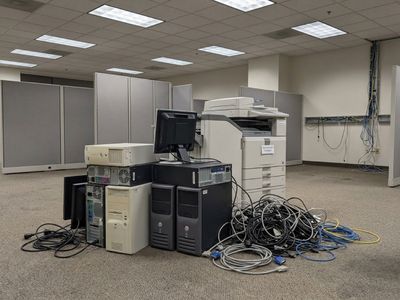
The office version is a bigger job with a different worry attached. A business closing, relocating or refreshing its equipment replaces several desktops, monitors and a copier at once, and the concern shifts from one person's photos to client records and financial files that can't resurface later.
Both are the same job on our end, just different in scale. One heavy copier changes the plan more than a dozen light desktops do.
What we take
- Desktop towers of any age
- Laptops, with or without the charger
- Monitors, flat panel or older CRT
- Printers, scanners and all-in-ones
- Office copiers, including large floor models
- Keyboards, mice, cables and peripherals
- A whole office cleared out in one visit
How an IT pickup goes
- Point out what's going, down to whether a copier is part of it.
- Make sure no sensitive data is left on any drive before we arrive.
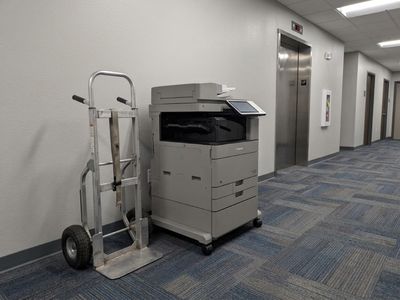
- A copier gets its own dolly and its own path planned, especially on an upper floor.
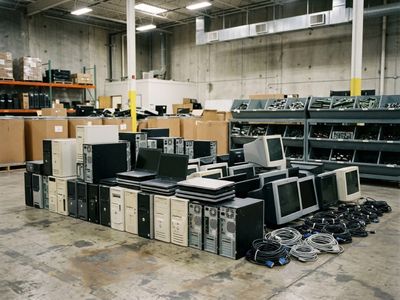
- Desktops and monitors load in behind it, several at once if that's the job.
- Recycling is next, not the landfill.
Before we arrive
- Make sure no sensitive data is left on any computer, drive or phone going with us.
- Unplug everything and bundle loose cables if you can.
- Let us know if a copier or multiple desktops are part of the load so we plan the path.
The weight range on this page
- Laptop. Under 10 pounds, the lightest thing on this page.
- Desktop tower. Roughly 15 to 30 pounds depending on the case size and what's inside it.
- Office copier. A common floor model runs 225 to 450 pounds. A production machine with finishers and extra trays can reach 500 to 600.
- A CRT monitor. Shares the same weight and glass story as an old tube TV. The TV page covers those numbers in full.
The copier is the whole problem
One heavy piece changes the job
A laptop is nothing. A desktop tower is a one-hand carry. A copier is a different category entirely, 225 to 450 pounds for a common office model and up to 500 or 600 for a production machine with extra trays. On an upper floor, that's a conversation about the stairs or the elevator before it's a conversation about anything else.
An office clearing out desktops, monitors and a copier at once is really a volume job wrapped around one heavy one. We stage the light equipment first and give the copier the room and the path it needs.
Buildings that require a certificate of insurance before a vendor comes on site can get one from us ahead of time. We carry general liability insurance, and sending it over is a normal part of getting the visit approved.
About the data
Check the drive before it leaves
Deleting a file doesn't actually remove it, it just hides it until something writes over that space. Anyone who wants real certainty looks at a wiping standard like NIST 800-88 or hires a NAID-certified vendor for a signed certificate of destruction, a separate business decision from a junk pickup.
Before a computer or a drive leaves with us, make sure there's nothing on it you wouldn't want found. That goes for a home laptop the same as an office server closet.
Toner and ink cartridges carry their own rules too. An empty one is treated differently than a full one, and most manufacturers run a free take-back program for them. Tell us if cartridges are coming out with the printer.
The hardware itself gets taken to be recycled, same as everything else electronic that leaves with us.
Who shows up
Crew and equipment
Every job runs out of an 8 × 12 ft dump trailer with 4 ft sides, about 14 cubic yards of space. Most jobs get a two-person crew, and we do all the lifting, loading and sweeping up.
Other ways old equipment can leave
- Best Buy's in-store recycling drop-off. Free for most items, capped at 10 per household per day, and built for residential quantities. A copier can't be carried into a store in the first place.
- Manufacturer or OEM take-back. Exists for some computer brands, but usually ships one device at a time by mail, with the sender wiping and packaging it first. Not a fit for a multi-unit office clearout.
- IT asset disposition vendors. The business answer to certified data destruction and resale recovery, but it's a separate contract relationship, and overkill for a single home computer.
- DIY drop-off at a transfer station. Works for a light load carried in a personal vehicle. A copier without help to lift and load it is a different story.
- Keeping it in storage "just in case". Common in offices worried about data exposure, but it ties up space and doesn't resolve anything. The equipment still has to be dealt with eventually.
Data taken care of?
Computer & Printer Removal questions
What should I do about the data on my computer?
Make sure nothing sensitive is left on the drive before it goes. That's on you before pickup, the same as clearing out a filing cabinet before an office move.
Can you take a heavy office copier?
Yes. A common floor model runs 225 to 450 pounds, and we bring what that needs, including planning around stairs or an elevator on an upper floor.
Can a whole office be cleared out in one visit?
Yes. Several desktops, monitors and a copier leaving together is a normal job, not a special request.
Do printers count the same as computers for pickup?
Yes. Printers, scanners and all-in-ones go the same trip as the desktops and monitors.
Do you provide a certificate of insurance for buildings that need one?
Yes. Property managers who require one before approving a vendor on site can get one from us ahead of the visit.
What about toner and ink cartridges?
They can go out with the printer. Just mention it when you book, since cartridges are handled as their own category rather than mixed in blind.
Locations served
Find us in your community
- Downey
- Whittier
- Paramount
- Long Beach
- Norwalk
- Bellflower
- Santa Fe Springs
- Anaheim
- Compton
- Lynwood
- Glendale
- Lakewood
- Pasadena
- Torrance
- Fullerton
- Los Angeles
- Pico Rivera
- Garden Grove
- South Gate
- Bell Gardens